Hi out there!
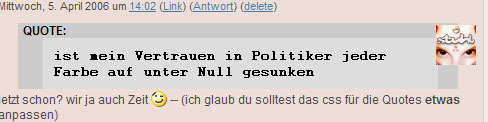
I really dislike the style of quotes in comments. You know, these grey boxes with C64-like fonts. But I don't know where to change the css for this? Has anyone a hint for me?
Hokey
Changing quote-style in comments
-
garvinhicking
- Core Developer
- Posts: 30022
- Joined: Tue Sep 16, 2003 9:45 pm
- Location: Cologne, Germany
- Contact:
You must look for a CSS definition to the "blockquote" element. This is responsible for it.
You might be using the "layout: quote markup" plugin? Because this is emitting the styles. You can either override them in your style.css, or uninstall the plugin and take care of your own CSS markupt for that.
Best regards,
Garvin
You might be using the "layout: quote markup" plugin? Because this is emitting the styles. You can either override them in your style.css, or uninstall the plugin and take care of your own CSS markupt for that.
Best regards,
Garvin
# Garvin Hicking (s9y Developer)
# Did I help you? Consider making me happy: http://wishes.garv.in/
# or use my PayPal account "paypal {at} supergarv (dot) de"
# My "other" hobby: http://flickr.garv.in/
# Did I help you? Consider making me happy: http://wishes.garv.in/
# or use my PayPal account "paypal {at} supergarv (dot) de"
# My "other" hobby: http://flickr.garv.in/
i think hokey is using bbcode plugin. it gave me just the same ugly effects. the solution is simple.
hokey, edit your theme's style.css file and add these two style declarations:
it works just fine for my template. i wanted to show you a working example but something's with my server right now :/
hokey, edit your theme's style.css file and add these two style declarations:
Code: Select all
.bb-code-title {
   put your style definitions here, it's a container
   holding all quote stuff
}
.bb-code {
   it's a definition of quoted stuff. style it as you like.
   for example you can put something like that:
      font-style: italic;
}
"everything is under control" - kasparov demo
